Easy imports.
How we hacked TouchDesigner to make package management simple

December 10, 2025
by Wieland
Foreword
Importing third-party Python packages is still, to this day, a real pain in TouchDesigner. There have been many attempts, but none have managed to create a workflow that actually feels clean or enjoyable. Every existing approach is clunky, requires too much manual work, and forces you to bend your entire workflow around its limitations.
Well, we finally did it! Continue reading to learn how.
How it´s done, for now
The initial method was to set the external Python path globally. That meant all TouchDesigner projects pointed to the same Python environment - definitely not ideal.
Later, this was replaced by the approach of using an onStart callback to modify sys.path during startup. And even today, this is the official way Derivative suggests doing it, via the pyEnvManager.
But here's the problem: we now have to structure our whole project around this callback. There's no way to import packages before that code runs. It's a shame that there's no way to set sys.path early enough in the import cycle. (Hint: this is foreshadowing.)
TD_Pip can help, but is not the answer
With TD_Pip, we came up with two approaches to ensure that:
sys.pathis set (i.e. we mount the environment), andthe package is actually installed.
The first approach involved calling ImportModule("qrcode") instead of import qrcode. That call would trigger TD_PIP initialization, ensuring the module exists and is installed.
The newer approach uses a context manager (with op("td_pip").Mount():) to allow regular import qrcode statements to benefit from code completion. While better, this still feels like an anti-pattern—having to wrap imports in a context manager isn't ideal, even if it worked fine for a while.
But TD_PIP is missing one crucial thing: dependency management. (To be fair, so does Conda and pyEnvManager. requirements.txt is not proper dependency management.) TD_PIP installs everything on demand, which can break things during deployment. In theory, every script needs to run once just to ensure all dependencies are installed. Again, we’re bending backwards for something that shouldn’t be a problem in the first place.
But first, a detour about imports in TD
TouchDesigner has a unique import system:
The current component is searched first.
If not found, it checks
local/modulesof the current component.Then
local/modulesof each parent component.If still not found, it searches in sys.path and runs the "regular" import
This lets us import DATs as Python modules - super handy for extensions and quick iteration without restarting the project.
It searches inside TouchDesigner first, then falls back to external modules. Ever named a DAT json or utils and seen weird behaviour? Exactly.
Let´s get to it!
Let’s talk about the real issue: setting sys.path.
This is the list of paths Python checks when importing packages. The problem is that onStart is too late. We need to modify sys.path before any import happens.
Thought experiment: when is the best time to set sys.path?
Right when sys is first imported.
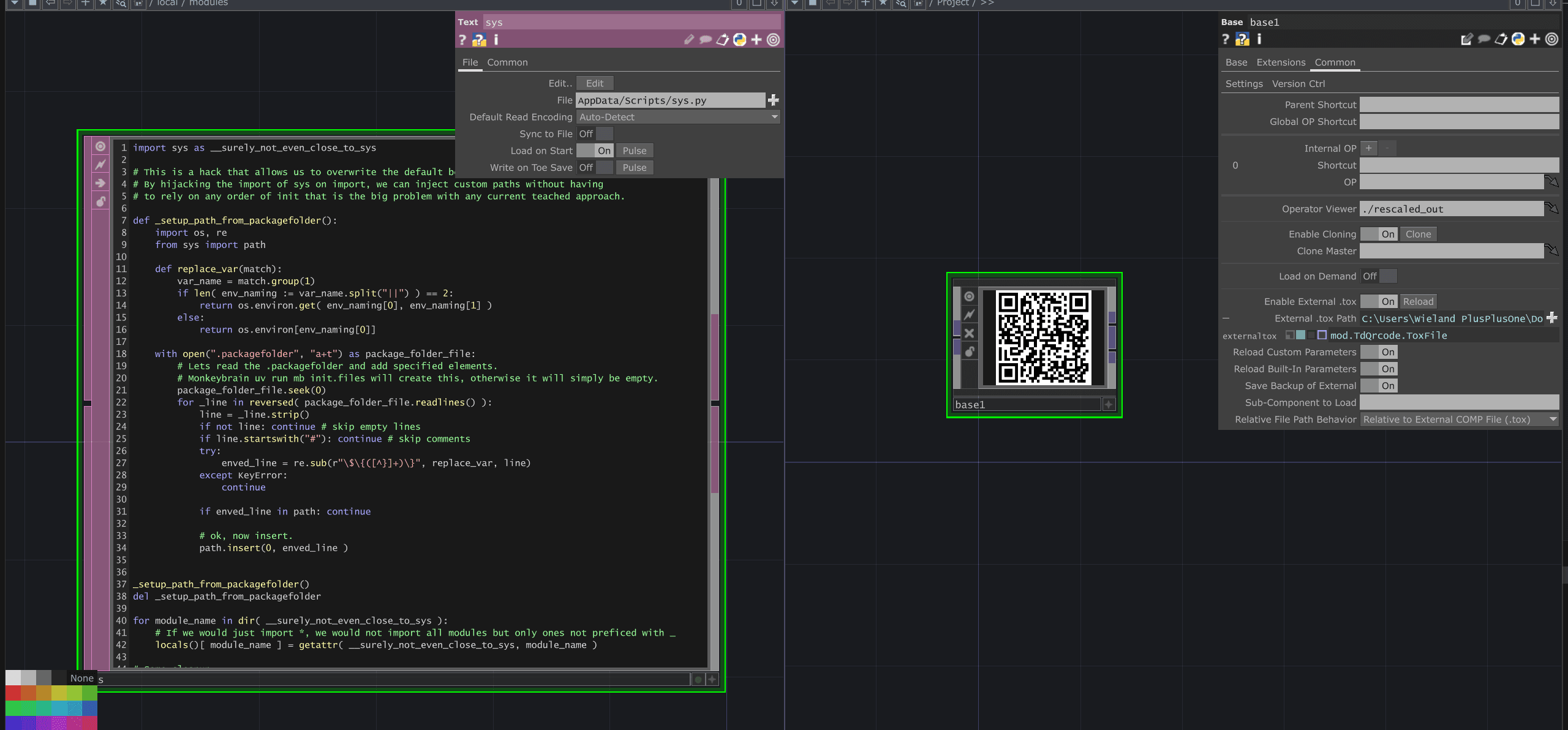
We can place a Text DAT named sys in /local/modules, effectively overriding the built-in sys module. As long as we still satisfy the interface of the original sys, Python won’t complain.
Here’s what the override looks like:
What This Does:
The moment any part of the project imports any module, this script runs. (as importlib needs sys to get access to sys.path)
It adds
.venv/Lib/site-packagestosys.path.Then it mirrors the real
sysmodule so nothing breaks.
Now, every import anywhere in the project works as expected - from the very first one.
Going the extra step
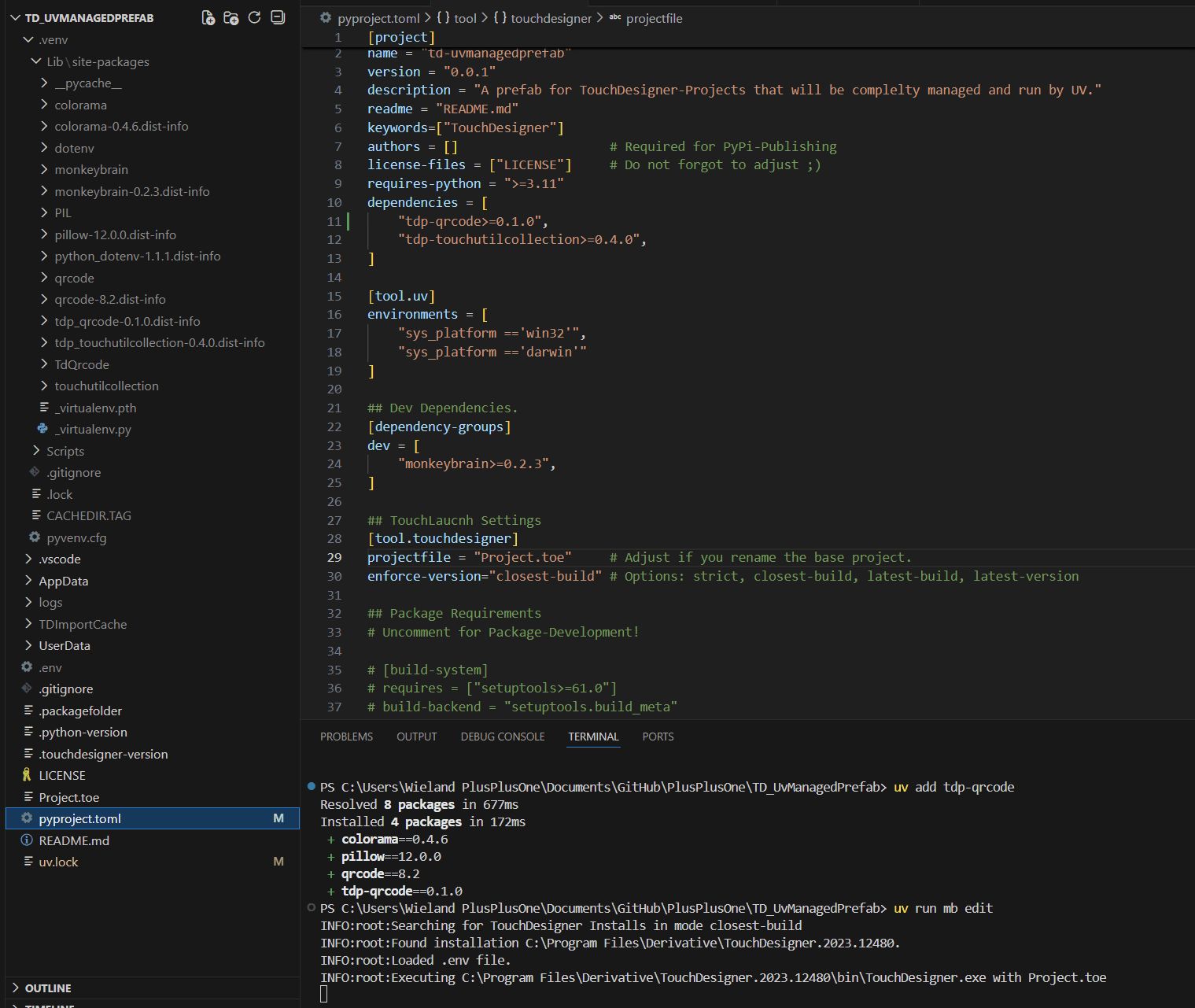
In our UvManagedPrefab repo, we took it a step further. The script now reads a .packagefolder file, fills in environment variables, and dynamically adds paths to sys.path.
The .packagefolder file could look like this:
This lets you not only mount external packages but also your own project-specific folders globally—ideal for larger projects, improving IDE support or package development (e.g. for code completion in VS Code).
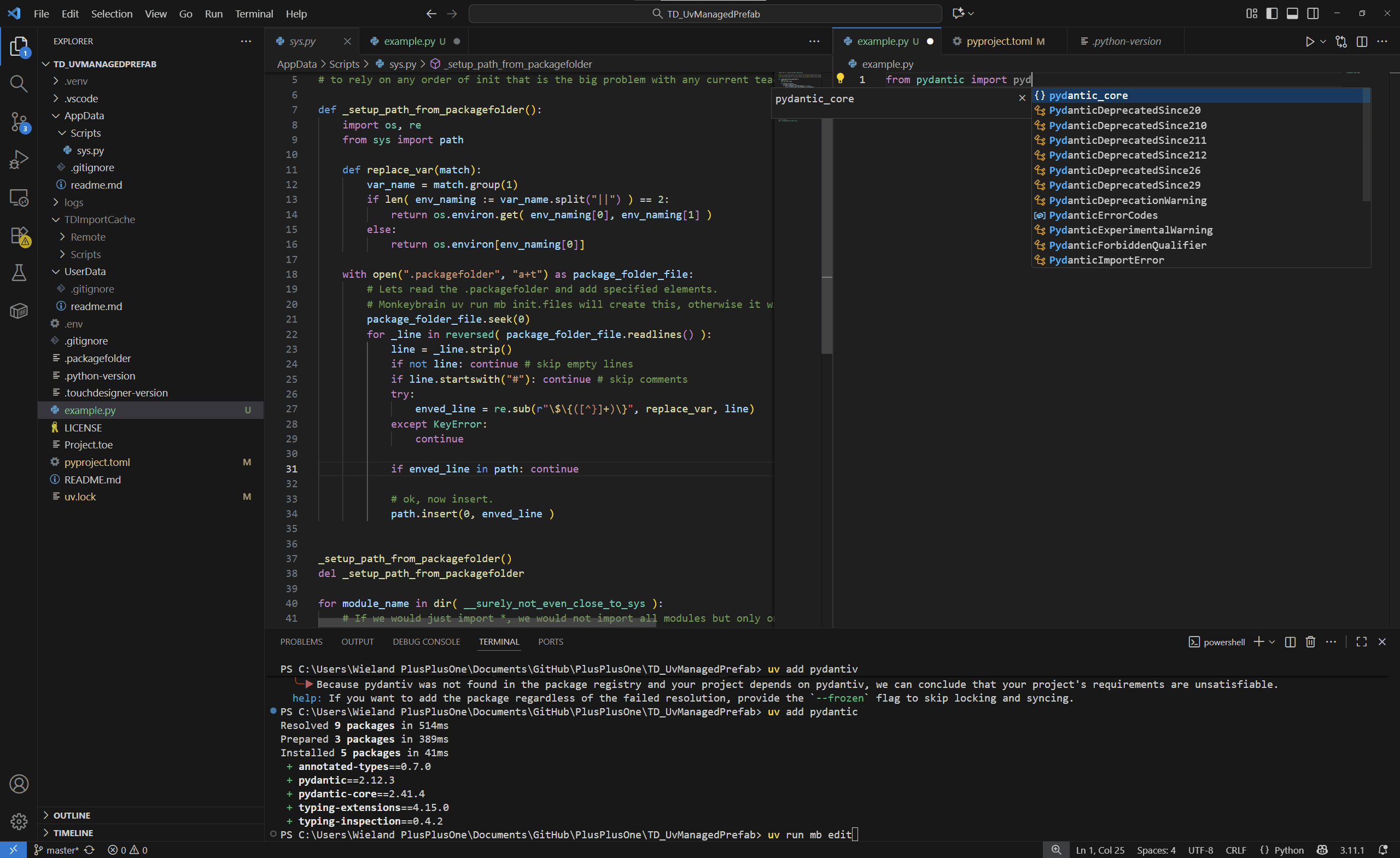
The UVManagedPrefab repo even defines MonkeyBrain as a dependency, letting you run the command mb init to generate a good settings.json for VS Code based on your TouchDesigner version and .packagefolder.
Final words
We hope this makes your life with Python in TouchDesigner at least a bit better. Feedback, pull requests, and contributions are always welcome.
Note
With the official 2025 release, Derivative introduced the envManager, which aims to solve a similar use case but is quite strict in its structure. The approach shown here allows for an agnostic workflow without favoring any specific method. For now, we will continue using this approach.